
You can create Coco AI segments and user filters using Klaviyo activity. Specifically, you can now use WhatsApp to reach out to subscribers who have received a particular Klaviyo email as well as subscribers who have clicked any links within any email.
What This Means For Your Shop
Target subscribers who received a specific Klaviyo email using a segment or automation filters.
Target and follow up with WhatsApp subscribers who clicked on any link included in a Klaviyo email.
Send WhatsApp messages through Klaviyo webhooks to embed WhatsApp directly in Klaviyo Flows.
What You Need to Get Started
You will need an [active Klaviyo integration] in order to share information between Coco AI and Klaviyo.
Coco AI needs an email address for a subscriber in order to match it to a Klaviyo profile and sync Klaviyo activity. Coco AI collects emails during abandoned and completed checkouts.
Create a Segment or Automation Filter
Create Segment or Automation Filter
Select Messaging in the side menu of your Coco AI dashboard, then select Segments.
Select Create Segment in the top-right corner of the page.
Name your Segment.
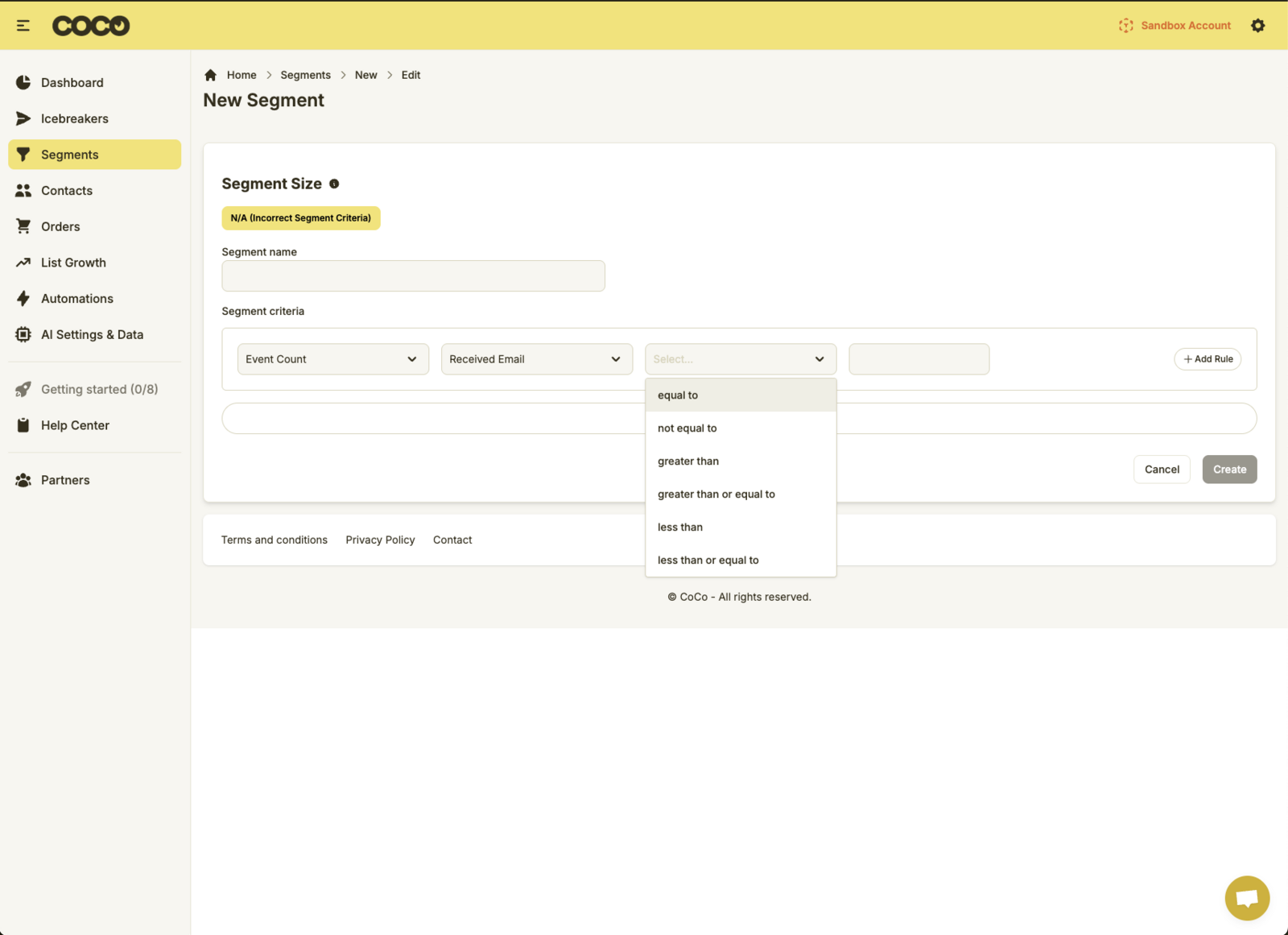
Select your desired Segment Criteria from the drop-down (Event Count or Performed Event).
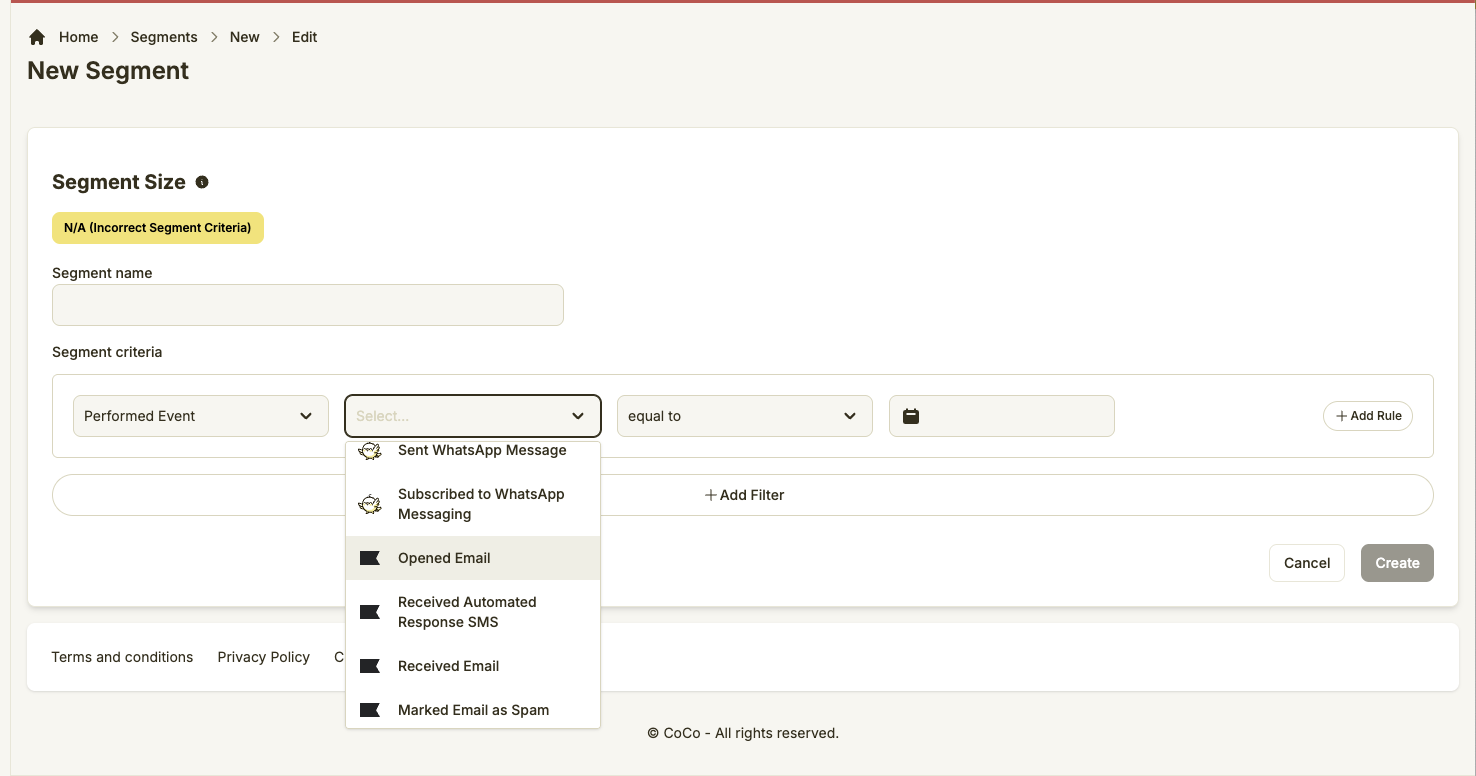
Subscriber Opened Klaviyo Email. Target subscribers who have opened a Klaviyo email.
Subscriber Clicked Klaviyo Email. Targets subscribers who have clicked on link in a Klaviyo email.
Choose the filter (Time frame, count) from the Select drop-down.
Select Save Segment.
**
Tip: You can add multiple criteria to a segment. For example, if you wanted to target subscribers who opened your last five Klaviyo emails, or clicked the last 3 you can "Add Rule" to apply the additional filters.
Updated on: 11/07/2025